
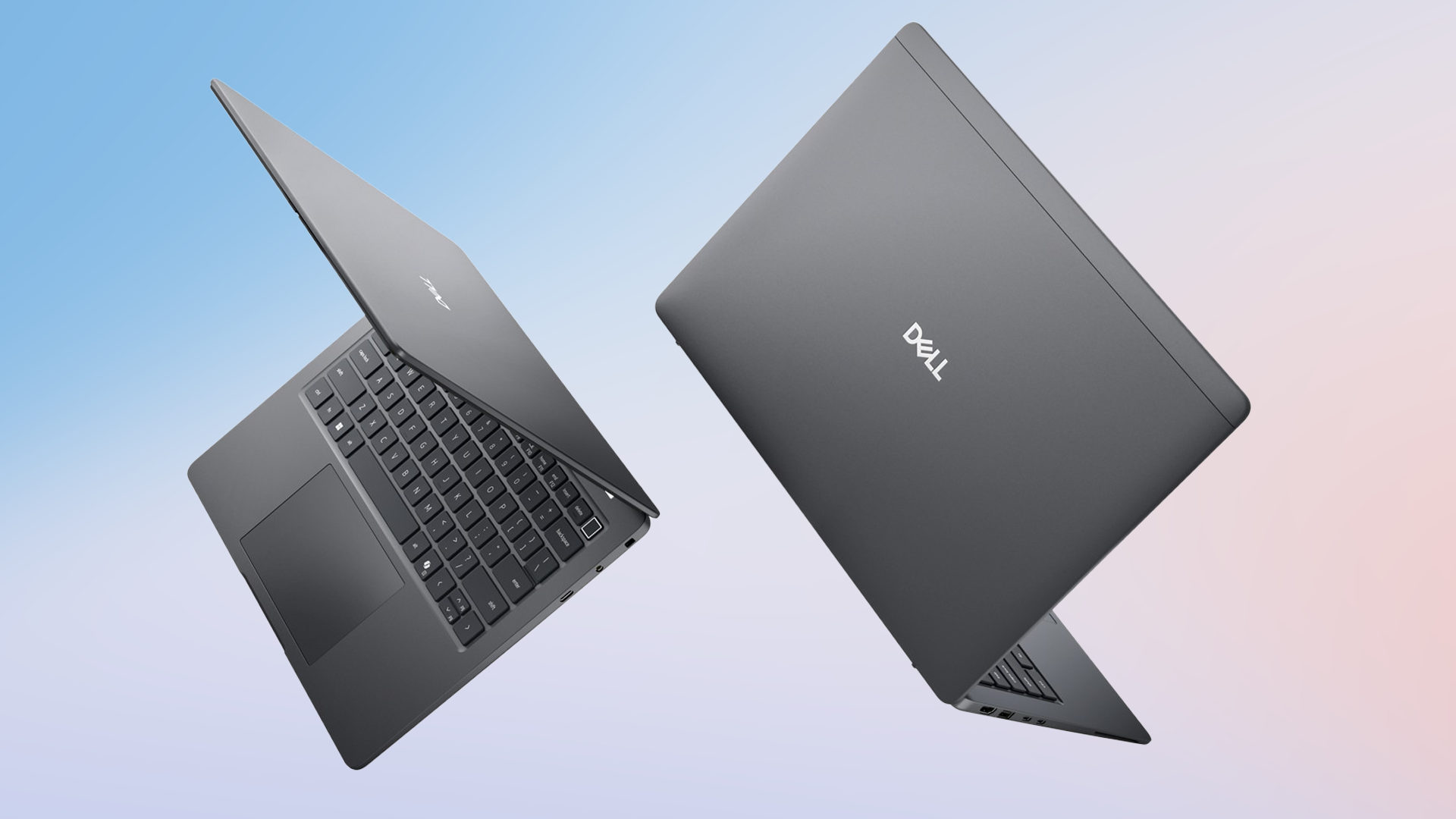
To keep corporate data protected without shackling workers’ mobility in the field, it’s critical for businesses to ensure they’re supplying staff with devices like the Dell Pro 5 and Dell Pro 7, which combine hardware-based, on-device security measures with robust software protections.
The last 10 years have seen a dramatic change in how and where we all work, with hybrid working becoming the norm. This brings clear benefits: flexibility, work-life balance, and employee retention. However, the impact on companies’ IT security perimeter has been significant: more endpoints in more locations means a larger attack surface to defend.
TL;DR
- Dell Pro 5 and Pro 7 laptops combine hardware-isolated credential storage (ControlVault 3+) and pre-boot BIOS verification (Dell Trusted Device) to protect endpoints below the operating system
- Optional hardware privacy displays stop visual eavesdropping, while local NPU processing ensures AI data and prompts never leave the device
- The Dell Pro 5 is for mainstream hybrid-work employees who need docking flexibility, power, and the most scalability in the Dell Pro portfolio
- The Dell Pro 7 is for traveling executives requiring the thinnest laptop in Dell’s portfolio (16.35mm) while maintaining performance on-the-go
Hybrid work exposes corporate endpoints to hardware-level threats
For corporate IT teams, it’s impossible to validate that remote networks are properly secured and maintained, or that employees are always following security best practices when working from them. This is why the security features baked into the design of the Dell Pro 5 and Dell Pro 7 are so essential for helping to safeguard critical data.
Whereas previously, employee devices were confined almost exclusively to tightly-controlled office environments where networks can be locked down and secured, the modern hybrid working model means that staff are using laptops like the Dell Pro 5 and Dell Pro 7 not just from home, but from airport terminals, coffee shops, and shared coworking spaces.
Public Wi-Fi networks can be a tempting lure for bad actors; poorly maintained routers with unpatched firmware can expose vulnerabilities that allow hackers to inject malware, harvest credentials, and hijack your traffic, while attackers can also spoof legitimate access points to lure in unwary users.
Workers may also fall victim to more basic exploits while out and about. An observant attacker could make note of key login credentials, or an unattended device can be quickly infected with keylogger software.
Is software-based security sufficient for remote endpoints?
Software-based security alone is insufficient for remote endpoints. While software can defend against many threats up to a point, most cybersecurity tools run within the operating system, ‘on top’ of the processor.
The Dell Pro 5 and Dell Pro 7, by contrast, deploy dedicated silicon-level and BIOS-level protection, improving visibility and threat detection below the OS – a layer that’s traditionally been invisible to software-only security approaches. This deep visibility and control at the device level is one of the best methods for keeping employee devices secure, helping ensure that even if the OS is compromised critical data and credentials on the PC are kept safe.
How can security teams protect devices below the OS?
Security teams can ensure devices are protected below the OS by deploying solutions that combine BIOS- and firmware-level telemetry functions with dedicated, on-device security hardware to block unauthorized tampering both before and after system boot.
Both the Dell Pro 5 and Dell Pro 7 deliver this protection through tools like Dell Trusted Device, built-in PC security telemetry that compares local firmware signatures against a known-good cloud snapshot to verify system state integrity during startup. This prevents a compromised system from booting before malicious rootkits or bootkits can execute or impact the network.
To defend against post-boot vulnerabilities, the platform provides CVE Detection and Response to continuously scan system firmware against vulnerability databases and alert IT administrators to unpatched exposure points. It also uses Indicators of Attack (IoA) to detect any suspicious system settings changes, such as chassis intrusion or disabled security features, equipping IT and security operations teams with PC “security health” insights that allow them to intervene before a breach occurs.
This firmware protection layer is coupled with specialized, on-device security hardware below the operating system. As an optional upgrade, the dedicated FIPS 140-3 Level 3 certified ControlVault 3+ (CV3+) processor manages login credentials, authentication keys, and biometric fingerprint data in a sandboxed environment that's physically separate from the main OS layer to prevent interference by memory-hooking malware or keyloggers.
This is reinforced by a hardware-rooted Trusted Platform Module 2.0 (TPM 2.0) chip and full-disk BitLocker encryption driven by a hardware root of trust, ensuring encryption keys remain bound strictly to verified system hardware.
For businesses that need maximum assurance around supply chain integrity, Dell also offers optional Secured Component Verification (SCV), where IT procurement teams receive cryptographic proof that system hardware was not altered or intercepted during factory assembly and transit.

Physical safeguards and on-device AI extend endpoint privacy
Physical security features incorporated directly into device design, such as privacy displays, extend endpoint protection to prevent visual eavesdropping and maintain an effective security posture without restricting employee mobility.
Eliminating the need for external stick-on filters that interfere with display quality, this built-in panel limits viewing angles to prevent ‘shoulder surfing’, stopping nosy neighbors from being able to see sensitive information when busy executives are using their laptop on the go. Both the Dell Pro 5 and the Dell Pro 7 offer this capability on select configurations.
Additionally, both the Dell Pro 7 and Dell Pro 5 support biometric authentication through hardware fingerprint readers and optional high-definition 8MP HDR cameras for facial recognition via tools like Windows Hello (as well as NFC and Smart Card Readers).
Beyond seamless sign-in, this upgraded high-definition 8MP HDR camera sensor doubles as a collaboration powerhouse, delivering high-definition visual clarity for video conferencing alongside tuned directional audio. When meetings end, an integrated physical camera privacy shutter allows employees to mechanically block the camera lens, ensuring complete visual privacy and total control over their environment.
On both the Dell Pro 5 and Dell Pro 7, dedicated Neural Processing Units (NPUs) strengthen corporate data privacy by keeping Copilot+ AI workloads and prompts strictly within the physical device boundary. By processing AI tasks locally on the NPU rather than routing data to public cloud servers, sensitive enterprise information never leaves the laptop. Furthermore, advanced local AI tools (such as Microsoft Recall) are hardware-gated to execute only after multi-factor identity verification through biometric sign-in, ensuring on-device AI context remains accessible solely to authorized users.
This means business IT teams don’t have to clamp down on how employees use their devices, allowing staff to leverage the benefits of hybrid working safely from a much greater range of locations without stressing about safety.

Which laptop is better for hybrid security: Dell Pro 5 or Dell Pro 7?
Choosing between the Dell Pro 5 and Dell Pro 7 depends on physical travel exposure rather than PC security, as both models feature identical ControlVault 3+ credential isolation and Dell Trusted Device pre-boot firmware protection.
Dell Pro 5: Advanced security for mainstream hybrid workers
The Dell Pro 5 is engineered for mainstream hybrid roles, such as financial analysts, operations managers, internal developers, and general corporate knowledge workers. For these employees, hybrid working typically means splitting time between fixed home offices and corporate desks, as well as work done on the commute between the two.
Connecting over home broadband and remote networks exposes endpoints to OS-level malware, phishing, and credential scraping outside the corporate firewall; to address these core digital and network risks, the Dell Pro 5 backs up its hardware-level protections and security telemetry tools with high-density battery runtimes for all-day unplugged working, a comprehensive port selection for desktop docking without use of potentially vulnerable adapters, and optional 5G WWAN for encrypted mobile broadband to prevent reliance on unsecured public Wi-Fi.

Dell Pro 7: Advanced protection for high-exposure mobile roles
The Dell Pro 7 is tailored specifically for highly mobile workers, including traveling executives, management consultants, field sales directors, and client-facing team leaders. These professionals routinely work in high-exposure public environments such as transit hubs, flights, coffee shops, and client sites where visual eavesdropping, physical theft, and untrusted peripheral connections pose significant risks.
The Dell Pro 7 mitigates these environmental threats with an optional 14in built-in hardware Privacy Panel to instantly block side-angle shoulder surfing, an optional 3rd Type-C port for direct monitor hooks without untrusted dongles, and an ultra-thin 16.35mm chassis – the thinnest in the Dell Pro portfolio – and also 9% lighter than previous models.
Security Area |
Features |
Benefits |
Firmware security |
Dell Trusted Device pre-boot verification, CVE Detection & Response, and real-time Indicators of Attack (IoA). |
Prevents compromised systems from booting before malware executes, verifying telemetry below the OS layer. |
Credential protection |
ControlVault 3+ (CV3+) processor, TPM 2.0 chip, hardware-rooted BitLocker encryption, and optional Secured Component Verification (SCV). |
Sandboxes biometric data and credentials separately from the main OS to block keyloggers and supply chain tampering. |
Physical privacy |
Optional integrated hardware Privacy Panel (Dell Pro 7 14in), high-definition 8MP HDR camera, physical shutter, and Windows Hello biometrics. |
Stops visual "shoulder surfing" in high-exposure public spaces and provides mechanical camera blocking when meetings end. |
AI data privacy |
Dedicated Neural Processing Units (NPUs) running local Copilot+ AI workloads and hardware-gated Microsoft Recall. |
Keeps sensitive prompts and enterprise context within the physical laptop boundary rather than routing data to public cloud servers. |
If you think Dell laptops are the right call for your business, find out more on the Dell website: US readers click here.
FAQs
Why is software-based security insufficient for hybrid and remote endpoints?
Software security operates within the operating system; if the OS is compromised via kernel exploits or stolen credentials, software defenses are easily bypassed. Dedicated silicon protection below the OS ensures critical credentials remain isolated.
What sub-OS security protections are built into Dell Pro laptops?
Both models pair pre-boot BIOS verification (Dell Trusted Device) with ControlVault 3+ (CV3+), a dedicated hardware processor that stores biometric data, login credentials, and encryption keys in a sandboxed environment separate from the main OS.
How does the Dell Pro 7 prevent visual eavesdropping in public spaces?
The 14in Dell Pro 7 offers an optional integrated hardware Privacy Panel that limits viewing angles at the touch of a button, stopping "shoulder surfing" without the display degradation of stick-on filters.
How do Dell Pro laptops protect enterprise data during AI workflows?
Dedicated Neural Processing Units (NPUs) process Copilot+ AI tasks locally on the device. Prompts and corporate data remain strictly within the physical laptop boundary rather than routing to public cloud servers.
Is there any difference in silicon-level security between the Dell Pro 5 and Pro 7?
No. Both laptop lines share identical ControlVault 3+ hardware credential isolation and Dell Trusted Device firmware protection; choosing between them depends on physical mobility and environmental exposure.
-
 7 things to consider before your next infrastructure refresh
SPONSORED From power efficiency to disaster recovery, these are the things that growing organizations must keep in mind
-
 What will the infrastructure for growing businesses look like by 2030? Designing IT estates for your midsized business in the next part of the AI era
SPONSORED The infrastructure of the future will lean on technological and structural breakthroughs to be far more power-efficient


-
 5 reasons every AI team needs a deskside agentic AI accelerator like the Dell Pro Max with GB10
Sponsored The Dell Pro Max with GB10 can help enterprises kickstart and scale their agentic AI adoption journey
-
 Dell’s NVIDIA-based AI powerhouses compared: The Dell Pro Max with GB10 versus the Dell Pro Max with GB300
Sponsored The Dell Pro Max with GB10 and GB300 workstations are the perfect devices to help supercharge AI innovation
-
 AI on the edge: 5 reasons to add a deskside AI accelerator like the Dell Pro Max with GB10
Sponsored The Dell Pro Max with GB10 series brings high-performance compute straight to your desk
-
 Which form factor? When to choose the Dell Pro 7 in 13in, 14in, or 2-in-1 design
Sponsored The Dell Pro 7 laptop is available in a range of form factors designed to suit different ways of working. Which should you choose?
-
 The Dell XPS 14 is back with a vengeance – but is this high-end laptop worth the premium price tag?
Reviews One of the greatest enterprise laptops has been brought in from the cold and makes a solid start to life once again
-
 How business leaders are using the Dell Pro 7 and Dell Pro 5
Sponsored Thanks to flexibility and a range of spec options, the Dell Pro 7 and Pro 5 laptops can suit a variety of business leaders across a mix of workplaces
-
 How small businesses can maximize productivity with Dell Pro laptops – even without an IT team
Sponsored Dell Pro 5 and Pro 3 laptops can help a small business embrace productivity growth, hybrid working, and AI, all in a secure fashion without the need for a dedicated IT department
-
 What IT leaders need to know about future-proofing with Dell Pro laptops
Sponsored Choosing the right laptops in the right package can set your business up for success now and in the future


