Lenovo ThinkPad X1 review
Lenovo’s pencil-thin business ultra-portable finally arrives, squeezing Sandy Bridge performance into a tiny package, but is the X1 really worth buying? Tom Morgan finds out.
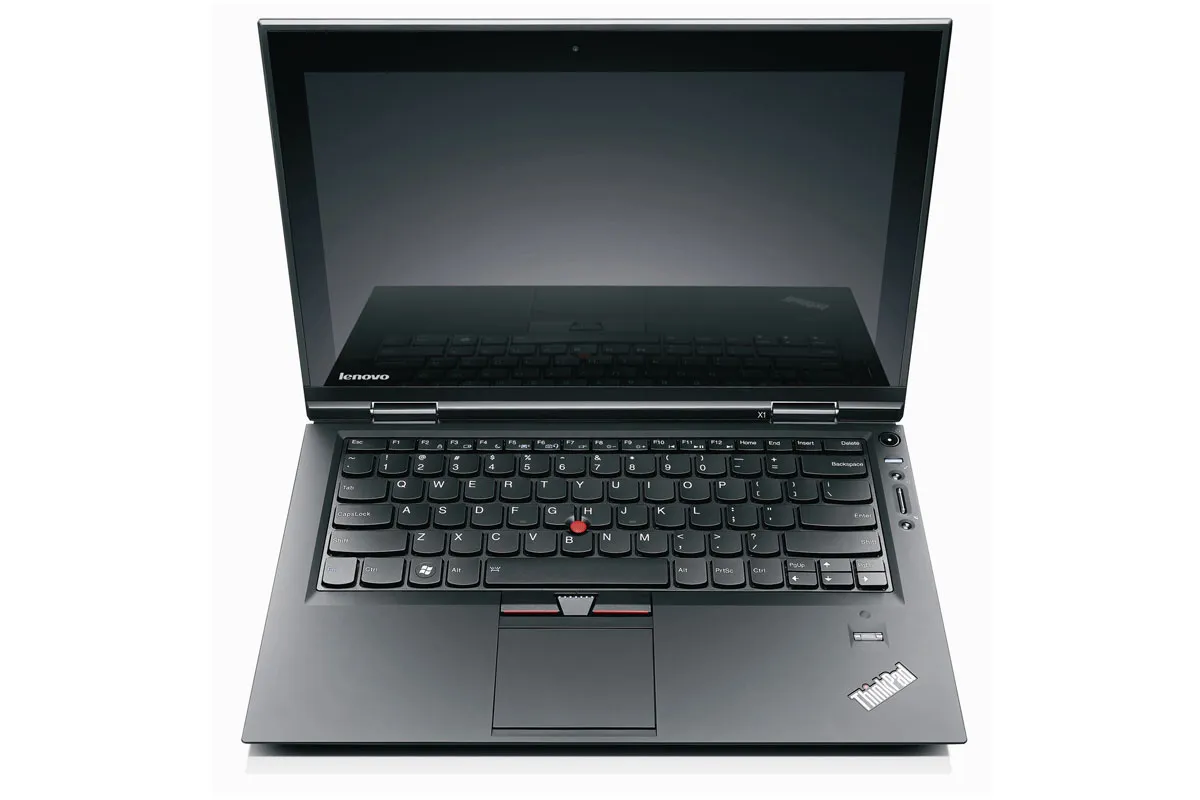
There’s no doubt that ThinkPad X1 is impressively thin, light and robust, but also very expensive compared to other ultraportable laptops. Despite all this, its disappointing battery life and temperamental touchpad make it frustrating to use. If you want an ultraportable laptop, the 13.3in MacBook Air or the Sony Vaio SB1V9E are better thanks to their far superior batteries.
It's incredibly easy to trigger a right click accidentally depending on how you press the touchpad; given the amount of empty space around the touchpad itself, we would have preferred some dedicated buttons. Thankfully, a second set of mouse buttons set just below the space bar are designed for use with Lenovo's trademark red touch stick, which doesn't suffer from the same issues.
Verdict
There’s no doubt that ThinkPad X1 is impressively thin, light and robust, but also very expensive compared to other ultraportable laptops. Despite all this, its disappointing battery life and temperamental touchpad make it frustrating to use. If you want an ultraportable laptop, the 13.3in MacBook Air or the Sony Vaio SB1V9E are better thanks to their far superior batteries.
Processor: Intel Core i5 2520M, 2.5GHz Memory: 8GB 1,333MHz DDR3 RAM Graphics: Intel GMA 3000 Hard disk: 160GB Solid State Disk Display: 13.3in 1,366x768, LED-backlit screen Features: two megapixel camera, microphone, stereo speakers Connectivity: 802.11b/g/n Wi-Fi, 3G WWAN modem Ports: 1 x USB2, 1 x USB3, 1 x eSATA (shared with USB2), 1 x Mini DisplayPort, 1 x HDMI, 1 x Gigabit Ethernet, 1 x 4-in-one card reader, 3.5mm headphone and microphone combo audio socket, Dimensions: 337x231x21mm (WxDxH) Weight: 1.7kg Warranty: 3 year Collect and Return warranty OS: Windows 7 Professional 64-bit BENCHMARK RESULTS Image editing 82 Video encoding 53 Multiple apps 53 Overall 58 Light usage battery life – 4h23m POWER CONSUMPTION Sleep 1W Idle 15W Active 58W
Sign up today and you will receive a free copy of our Future Focus 2025 report - the leading guidance on AI, cybersecurity and other IT challenges as per 700+ senior executives
-
‘1 engineer, 1 month, 1 million lines of code’: Microsoft wants to replace C and C++ code with Rust by 2030 – but a senior engineer insists the company has no plans on using AI to rewrite Windows source codeNews Windows won’t be rewritten in Rust using AI, according to a senior Microsoft engineer, but the company still has bold plans for embracing the popular programming language
By Ross Kelly Published
-
Google drops $4.75bn on data center and energy firm IntersectNews The investment marks the latest move from Google to boost its infrastructure sustainability credentials
By Nicole Kobie Published
-
OpenAI says prompt injection attacks are a serious threat for AI browsers – and it’s a problem that’s ‘unlikely to ever be fully solved'News OpenAI details efforts to protect ChatGPT Atlas against prompt injection attacks
By Nicole Kobie Published