Nokia N97 Mini review
The Nokia N97 was an all-round disappointment. Now its younger brother, the N97 Mini has been released, but does the cut down features mean business? We review this pocket-sized handset to find out.
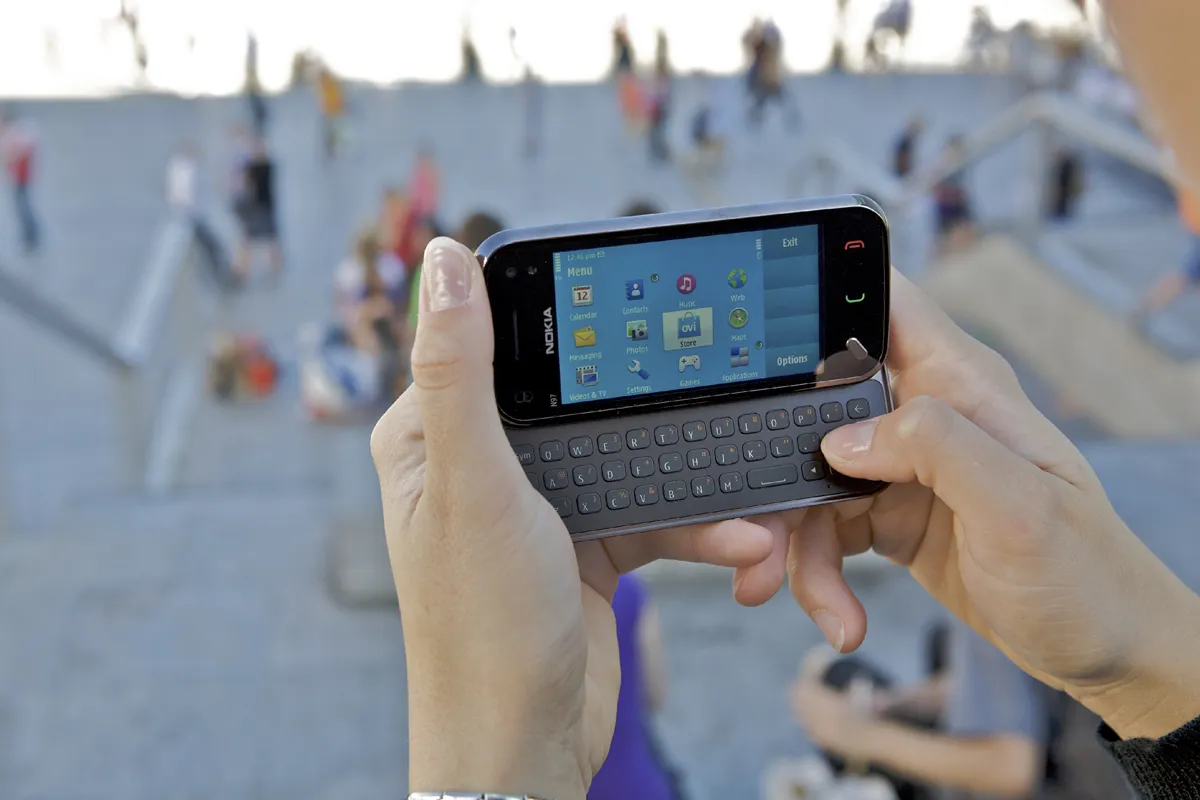
The Nokia N97 Mini doesn’t improve enough over its elder brother. We were expecting faster multitasking speeds, a better slide and an improved touch screen. Instead, we got much the same, albeit with a firmware update and for only £30 less.

The first high-end Nokia touch screen device - the N97 - was nothing short of a disappointment. It featured a resistive touch screen, with a clunky slide-out QWERTY keyboard and a slow, jerky processor.
It seemed unfinished and almost as if it was rushed out to match other smartphone manufacturer's offerings, such as HTC's Touch Pro 2.
Now Nokia has had time to work on its sliding QWERTY-come-touch screen smartphone with the Nokia N97 Mini. But is this smaller, more refined device much better?
The first point to note is that the N97 Mini is slightly smaller than the original not a huge amount with the former measuring 55.3mmx15.9mmx117.2mm (WDH) and the latter 52.5x14.2x113mm (WDH), although this does make a huge difference when resting in the hand.
Like the previous version of the Nokia N97, the sliding mechanism is awkwardly placed. You'll have to position your fingers right along the bottom edge and push up and away from you to trigger the kick. Place your fingers any lower and the top section will refuse to budge.
It's the same when closing the device. You can only close it by pushing down from the very top of the phone.
When you have mastered the technique for opening and closing the Nokia N97 Mini, typing is a doddle, and that tilted screen really does make it easy to use when the phone is resting on a hard surface, especially in the sun. In fact, glare is almost completely eradicated thanks to that tilt.
The keys on the keyboard are spaced with a gap between each, making it quick to type. They don't have quite the same firmness as the keyboard on the HTC Touch Pro2 has, but the rubber-finished keys ensure your fingers don't slip.

-
 Hackers are using patches to create vulnerability ‘maps’ – that means the 'patch and move on' approach needs to end
News Terra Security has spotted a leap in vulnerabilities in patches or otherwise fixed code
-
 Amazon targets Trainium gains with new TorchNeuron developer tool
News TorchNeuron enables code written in the PyTorch AI coding language to run on Trainium AI chips with minimal modification
-
 ConnectWise breach: Cloud services disruption continues three days after initial intrusion detected
News The company says “no successful threat activity” has been observed on its own environments. Partners, however, may still be at risk


