Microsoft Office for Mac Preview
A new Office for Mac, but is it worth upgrading to?
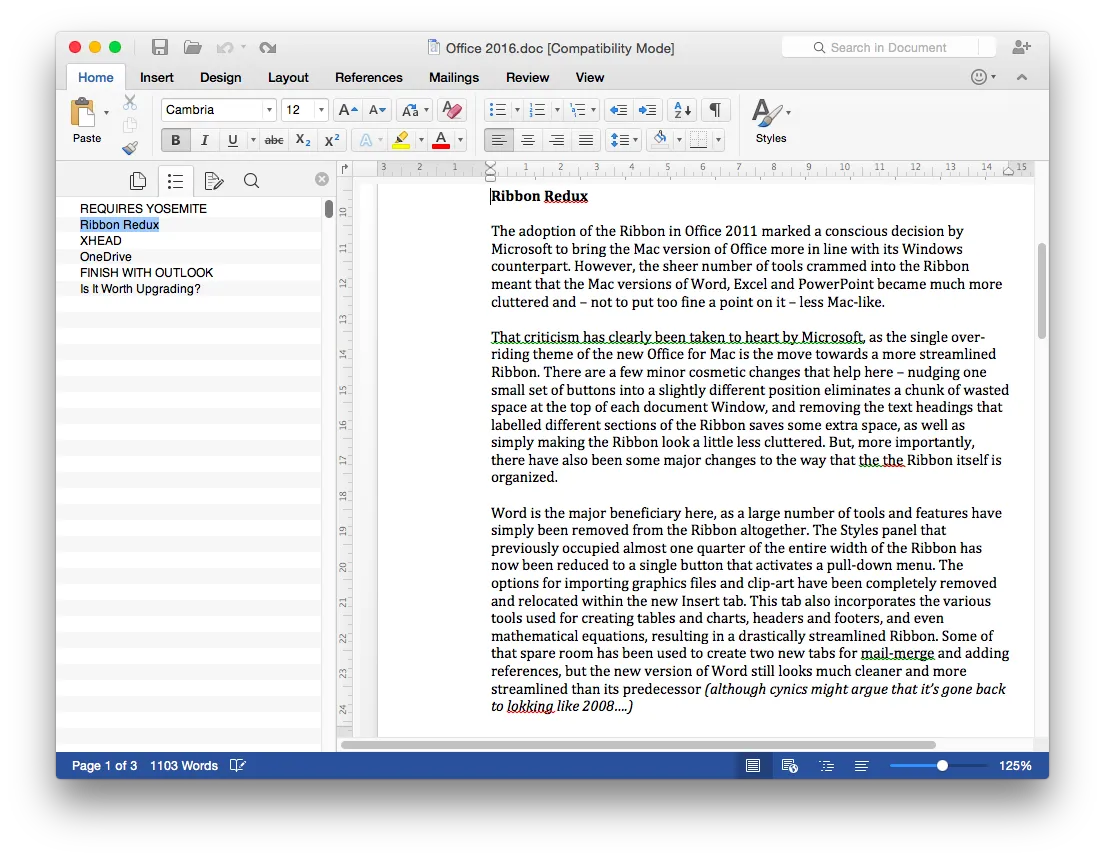
There’s nothing that makes this a ‘must-have’ update, but the interface overhaul that has been given to the Ribbon makes the new Office for Mac feel less cumbersome and should speed up many routine tasks.
-
+
Streamlined Ribbon in Word, Excel and PowerPoint; improved performance and reliability for Outlook
-
-
Few new features for Word and PowerPoint; may only run on Yosemite
Excel and PowerPoint
Excel and PowerPoint haven't received quite such drastic makeovers. These two apps are more likely to be used in full-screen mode, so Microsoft has left many of the standard Ribbon tools in place. However, the tabs that provide access to additional sets of tools have been completely reorganized. Like Word, PowerPoint and Excel both gain a new Insert tab, which gathers together all the graphics tools that were previously spread across three separate tabs for Tables, Charts and SmartArt.

They also gain a new View tab that provides a number of options for viewing your documents, such as the Notes view in PowerPoint or the split-pane view in Excel. The only minor oddity here is that the Play button for PowerPoint presentations has been removed from the main Home tab on the Ribbon, so when you want to preview your slides you'll need to either switch into the Slideshow tab or remember the fiddly three-finger keyboard shortcut that triggers the Play command.

Excel gains a number of new features for working with data, including PivotTable Slicers and an Analysis ToolPak for complex statistical work. However, PowerPoint mostly concentrates on refining existing features, such as the note-taking tools in its Presenter mode, and improved compatibility with the Windows version of PowerPoint.
-
 Do meeting rooms spoil the in-office experience? Logitech and its simplified Rally Bar 2 aim to fix that
News Complex configurations and poorly set-up spaces can directly affect business outcomes, according to Logitech
-
 AI agents have a mind of their own – and that’s a problem for businesses
New research shows that half of organizations are having to deal with agent behaviour that hasn't been authorized or approved.
-
 US raids laptop farms used to funnel $3 million to North Korea in fake candidate scam
The Famous Chollima operation hit organizations in the health care, communications, cyber support, retail, and manufacturing sectors


