Lenovo IdeaPad U350 review
With its IdeaPad, Lenovo wants to give you more than a netbook could but in a stylish and highly portable package. Has it succeeded? We examine the U350.
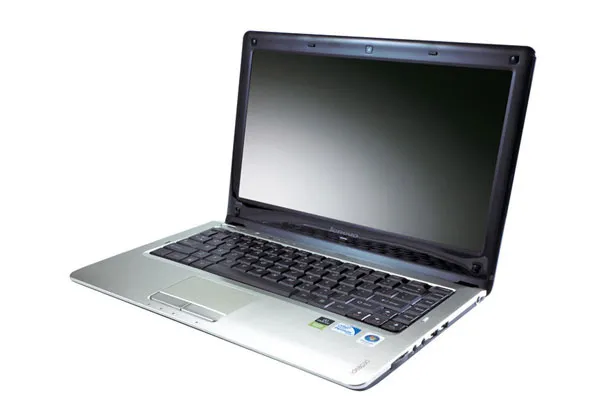
Definitely directed towards the consumer route, the U350 has an individual style and ultra portability but its performance just would not cut the mustard for a business user. Our advice? Don’t be put off Lenovo, but don’t put up with this model.

A 1.3 megapixel webcam sits above the screen and Lenovo offers Easy Capture software for quickly taking snaps, which is more of a fun toy to play with than a particularly business friendly application. Perhaps of more relevance is a security application that now comes with all Lenovo IdeaPads called VerfiFace. It is face recognition software that can be used instead of a password to sign onto the computer. Admittedly it is very easy to set up and runs very smoothly but is it really necessary? We don't think so.
Moving to the bottom half of the machine, the track pad is again very tactile with sizeable buttons below but the reaction is just not up to scratch. We often had quite a lag on the cursor, which became more and more frustrating each day and clicking to open an application also seemed to take a few attempts almost every time. It does have basic elements of gesture control though, which is a step up from other models, but multi-touch it is not it's limited to pinching to zoom in and out on documents and pictures.
The keyboard is yet another step up. A far from cheap looking plastic, the keys are springy and easy to type with, making the quick email or long document less of a chore. Lenovo also doesn't seem to have scrimped on any of the key sizes and the adjusted layout for the width is well thought out.
Port wise the U350 does seem to have it covered. As well as three USB ports split across the two sides, it features standard VGA, HDMI and Ethernet ports as well as a headphone and microphone jacks and a memory card slot.

-
 Fake North Korean IT workers are rampant: Here’s how to spot the telltale signs a new hire is a hacker
News New analysis from Huntress reveals the red flags to look out for when taking on new hires
-
 'The threat landscape is moving so quickly': CrowdStrike CEO George Kurtz warns AI is raising the stakes in cybersecurity – and the firm is poised to capitalize on ‘the largest market opportunity in our history’
News With concerns over AI security rising, Kurtz believes CrowdStrike can position itself as the go-to provider for enterprises
-
 Manchester Airports Group attack: Everything we know so far as 8.7 million customers impacted in breach
News Manchester Airports Group says airports are running as normal, but warns customers to look out for phishing attacks


