HP EliteBook 8440p review
HP's latest 14in business laptop has an attractive metal design, but is it all style and no substance? Kat Orphanides reveals all in our review.
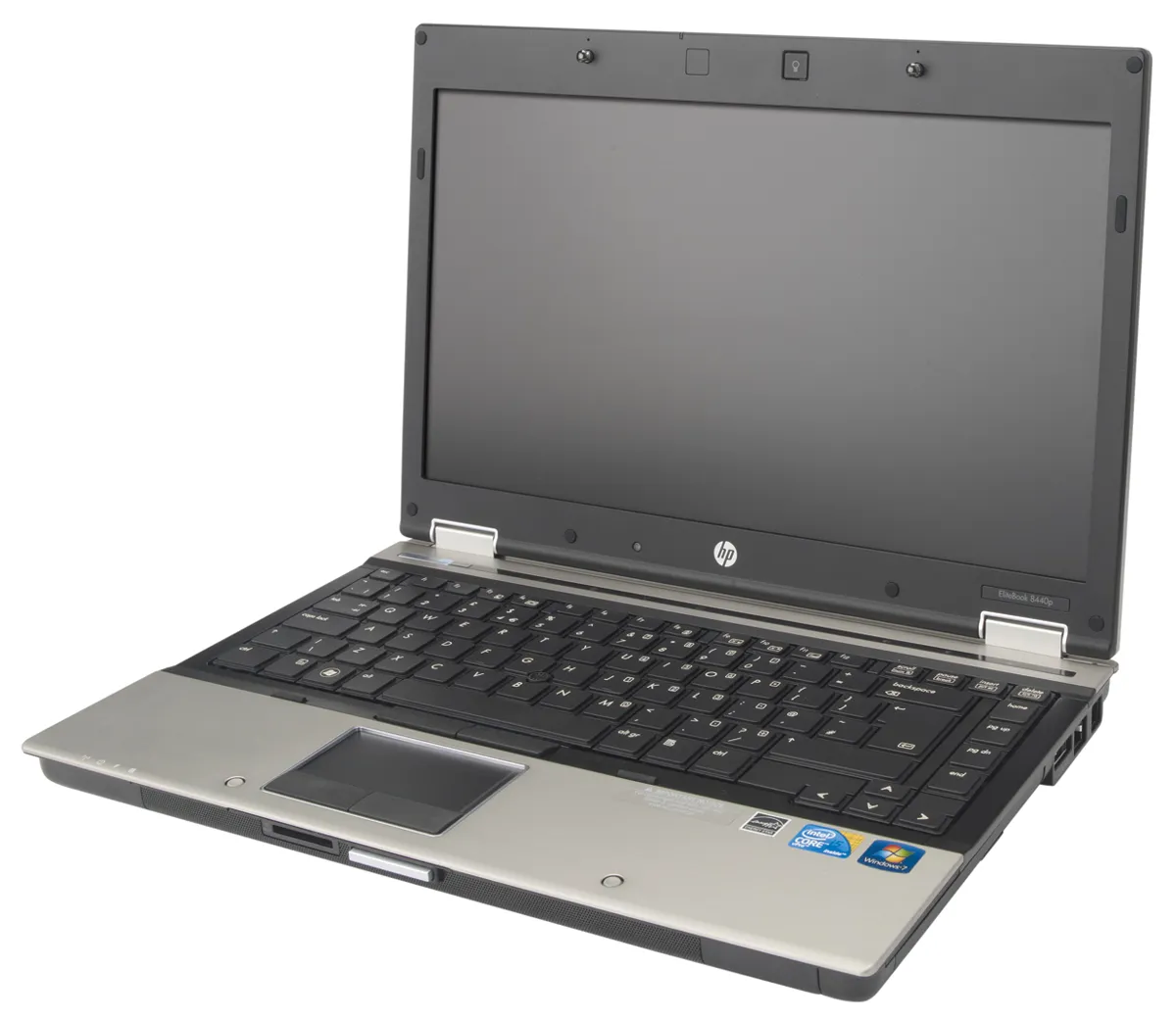
The EliteBook 8440p is beautifully made, performed brilliantly in our benchmark tests and even had a decent four hour, 43 minute battery life under light usage. However, despite its many strengths, at this price we were disappointed to find only 2GB of memory and a meagre 250GB hard disk. The lengthy three-year return to base warranty goes a long way to making up for this, though, and touchstick users, who aren't widely catered for beyond Lenovo's ThinkPad range, will find the 8440p to be one of their better options.Most of the features the laptop is missing – more memory and a larger hard disk, for instance – are relatively cheap and easy to upgrade, but this only makes their absence more surprising. If you're paying £950 for a laptop, we don't think you should have to upgrade just to get a large amount of hard disk space. Nonetheless, if you can put up with these omissions, the EliteBook 8440p is a good general-purpose laptop.

There are three USB2 ports, a combined USB2/eSATA port and a FireWire 400 port, which provides plenty of scope for connecting peripherals like printers, VoIP headsets and external storage drives. An ExpressCard/54 slot allows peripherals such as a 3G modem or USB3 adapter to be added easily. As expected, there are 3.5mm audio inputs and outputs. While the built in speakers are clear enough, it sounds a bit weedy and lacking in both volume and bass.
There's a 56K modem connection next to the Gigabit Ethernet port. Although few businesses bother to maintain a dial-up internet subscription any more, it could be handy as a measure of last resort when travelling in areas with poor broadband connections. The laptop also has a built in dual-band 802.11n wireless adaptor, which means it can connect wireless networks using either the common 2.4GHz band or the less common but also less crowded 5GHz band, depending on what your router supports. There's also a second battery connector and a docking station connection point.
Unusually, the EliteBook doesn't have a built-in webcam, so video conferencing via your laptop is out unless you connect a USB model. Although this omission might seem like a disadvantage, it may be preferable in security-conscious businesses where video recording equipment is forbidden from the premises.

-
 16-year-old boy arrested for masterminding KillSec ransomware group
News Police have taken control of KillSec's leak site, securing at least 110 terabytes of data against further unauthorized access
-
 Chinese hackers impersonate leading AI figures to harvest credentials
One phishing incident saw email recipients invited to join an AI policy advisory committee
-
 New Omdia study shines light on Kaseya's unified IT service delivery platform
News MSPs save more than $310,000 on average per year after standardizing on the vendor's offering, according to the findings


